OptiFender software update delivers an improved 3D localization experience
OptiFender platform: most recent software updates
We’ve built on extensive customer feedback to significantly improve the user experience of our OptiFender Monitoring Platform, raising the bar with enhanced workflows, greater 3D localization clarity, clearer sensor traceability, performance improvements, and more.
As part of our commitment to customer-centric design, this update is one of many rapid, iterative improvements – all based on the input of OptiFender users.
Find out exactly what’s changed for the better below.
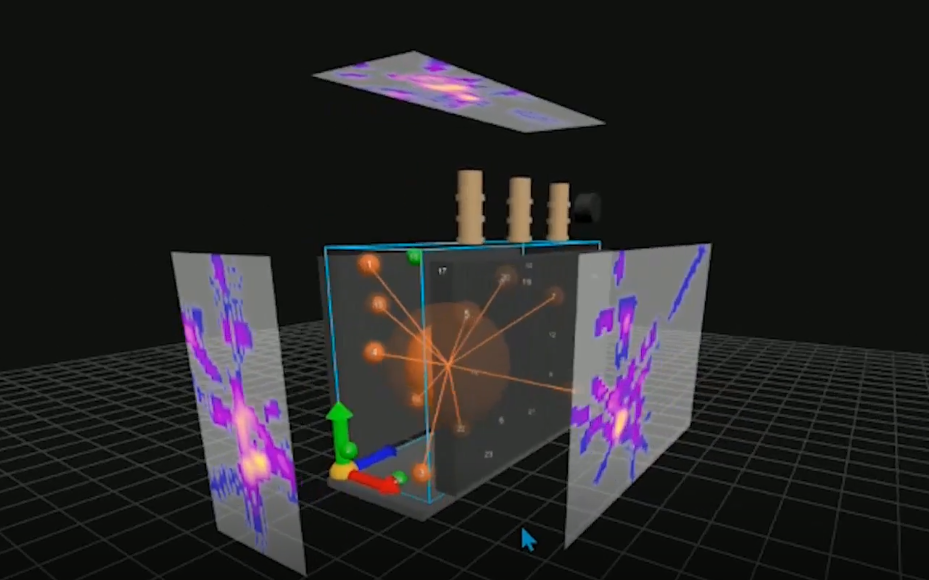
Heatmap projections in 3D transformer view
Heatmap projections are now available directly in the 3D transformer view, making it easier to review PD localization results without switching to a separate 2D view. The previous 2D transformer view entry point has been removed from the Localization menu.
Heatmap of PD activity inside a transformer
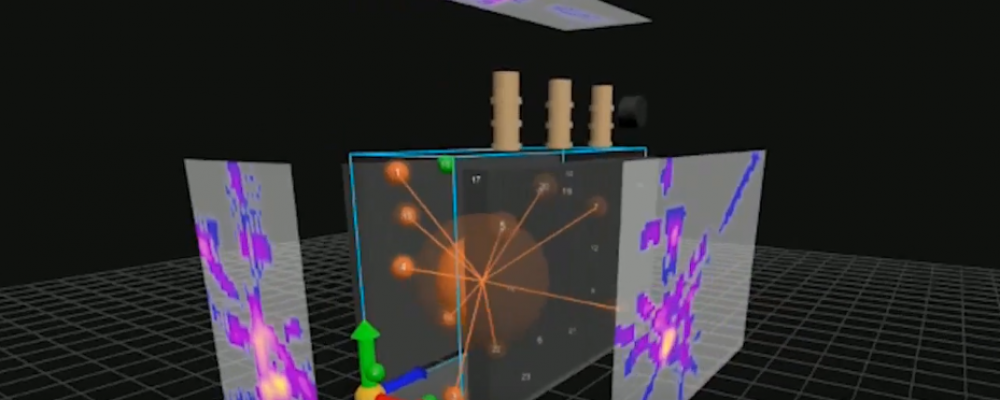
Sensor traceability in localization results
Localization results now provide clearer sensor traceability. When a localization result is selected, the details panel displays event information, time window, PD point location, and the sensors used for that localization. Relevant sensors are now also highlighted in the 3D model.
PD event review in localization view
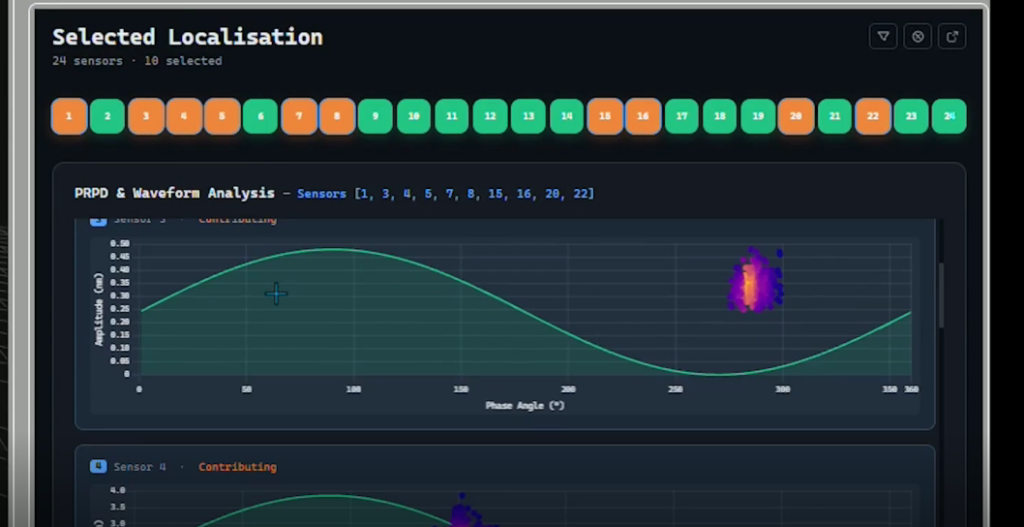
The PD event workflow has been improved when viewing localization results. Selecting a PD event now opens the PD Metrics view directly in sensor comparison mode, with linked sensors pre-selected and corresponding PRPD patterns displayed.
The selected event ID and timestamp are shown in the PD Metrics view, enabling faster transition from event detection to sensor-level review with fewer manual filtering steps.
PD Metrics view in sensor comparison mode
3D asset setup workflow for HV bushings
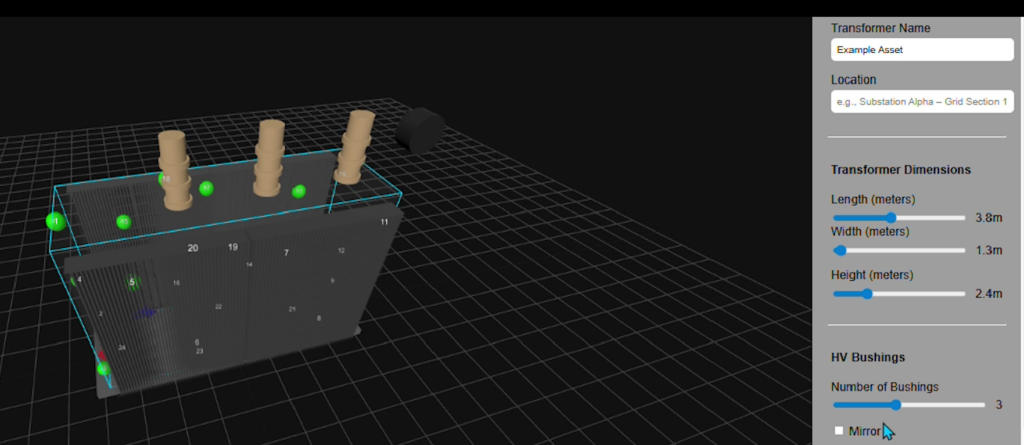
Improving precision in 3D asset setup, functionality has been enhanced with X/Y sliders for positioning HV bushings. This enables more accurate placement, easier fine-tuning, and faster alignment compared to manual manipulation, reducing installation time and improving navigation speed to PD detection and localization results.
HV bushings in 3D view
The platform is automatically updated, so users only need to access the web application URL to use the latest version of the software.
Localization results now provide clearer sensor traceability. When a localization result is selected, the details panel displays event information, time window, PD point location, and the sensors used for that localization. Relevant sensors are now also highlighted in the 3D model.